#1. First, you choose the Mobile icon and click EDIT

#2. Next, you click EDIT SITE HEADER
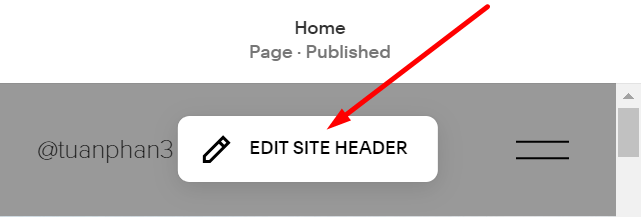
#3. Next, you click on the 2 lines icon

#4. Next, you click on the pen edit icon

#5. Next, you choose the 3 lines icon and click Save on the left of the screen


#1. First, you choose the Mobile icon and click EDIT
#2. Next, you click EDIT SITE HEADER
#3. Next, you click on the 2 lines icon
#4. Next, you click on the pen edit icon
#5. Next, you choose the 3 lines icon and click Save on the left of the screen