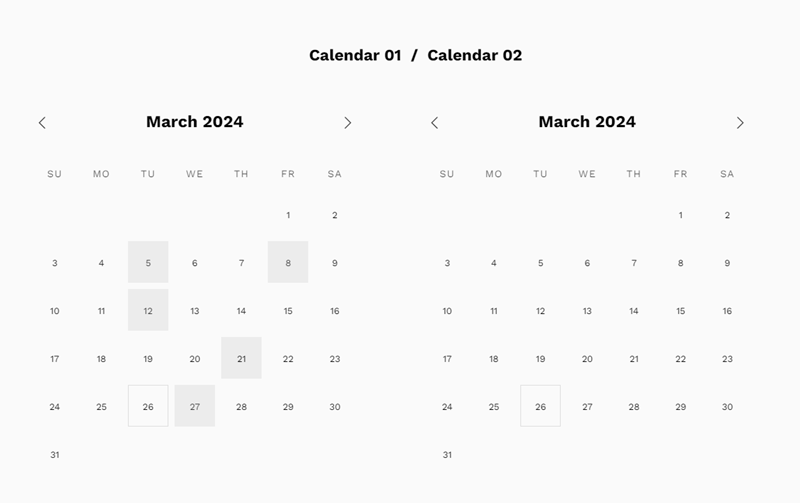
Demo: https://tuanphan-demo01.squarespace.com/click-text-show-calendar-v2?noredirect
Password: abc
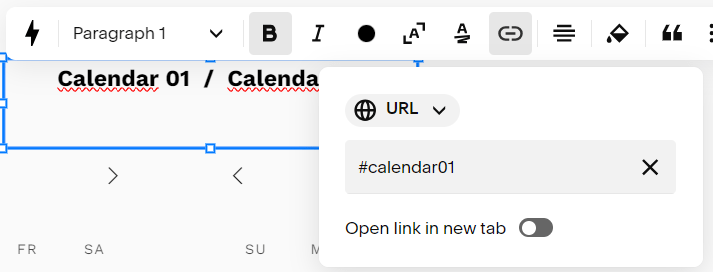
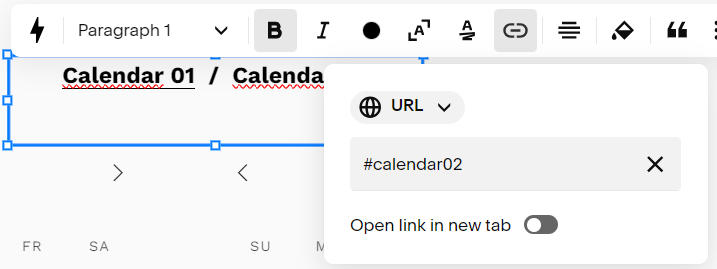
#1. First, you add a Text Block, with these URLs.
Make sure the option “Open link in new tab” is disabled
- #calendar01
- #calendar02
and 2 Calendar Blocks below
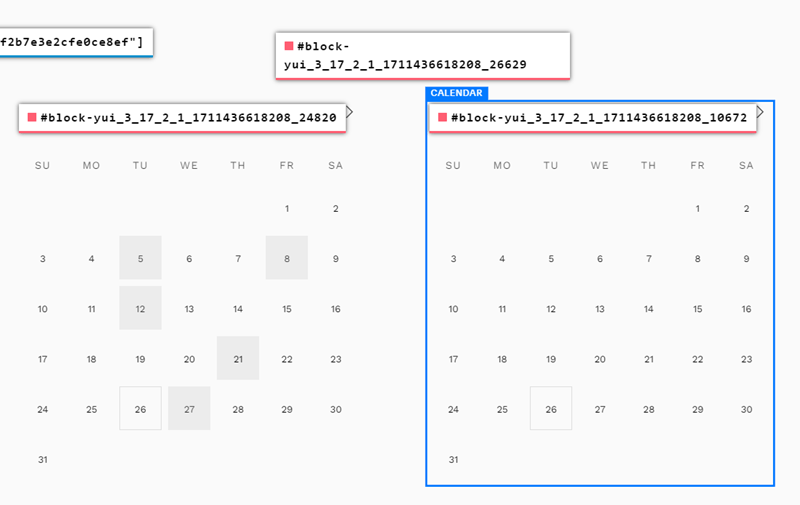
#2. Install Squarespace ID Finder and find the ID of all blocks
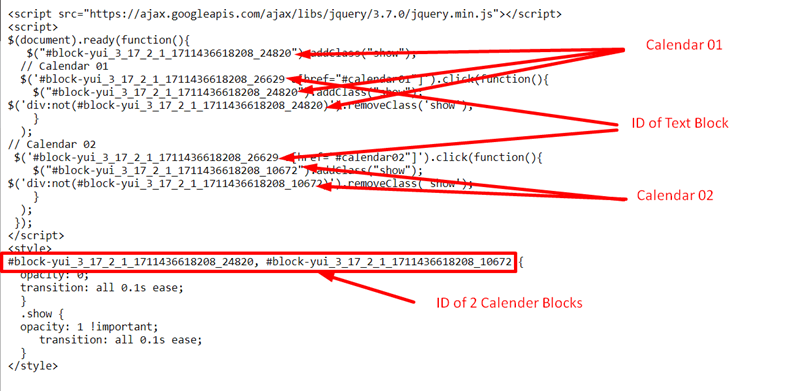
In my example, we will have:
- Text Block: #block-yui_3_17_2_1_1711436618208_26629
- Calendar 01: #block-yui_3_17_2_1_1711436618208_24820
- Calendar 02: #block-yui_3_17_2_1_1711436618208_10672
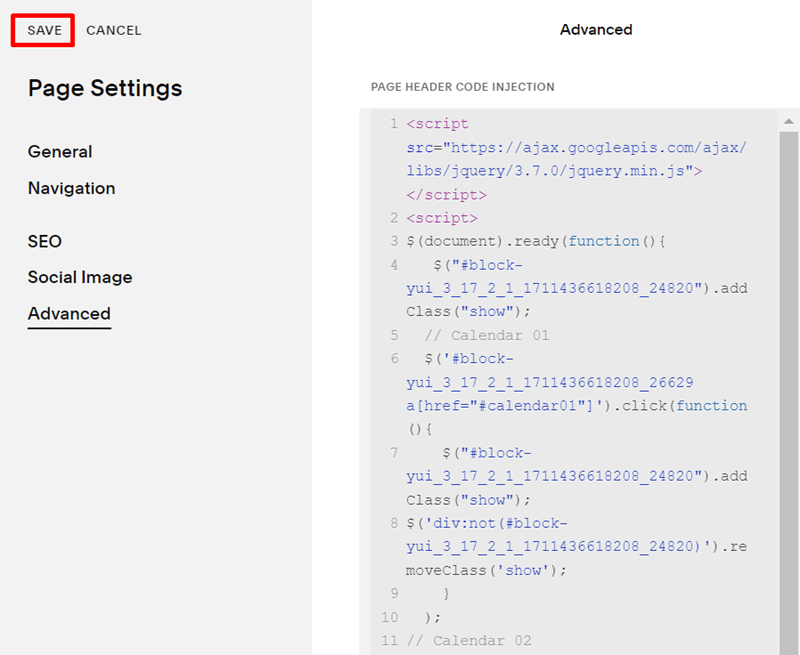
#3. Use this code to Code Injection – Footer (or Page Header Code Injection)
<script src="https://ajax.googleapis.com/ajax/libs/jquery/3.7.0/jquery.min.js"></script>
<script>
$(document).ready(function(){
   $("#block-yui_3_17_2_1_1711436618208_24820").addClass("show");
  // Calendar 01
  $('#block-yui_3_17_2_1_1711436618208_26629 a[href="#calendar01"]').click(function(){
    $("#block-yui_3_17_2_1_1711436618208_24820").addClass("show");
$('div:not(#block-yui_3_17_2_1_1711436618208_24820)').removeClass('show');
    }
  );
// Calendar 02
 $('#block-yui_3_17_2_1_1711436618208_26629 a[href="#calendar02"]').click(function(){
    $("#block-yui_3_17_2_1_1711436618208_10672").addClass("show");
$('div:not(#block-yui_3_17_2_1_1711436618208_10672)').removeClass('show');
    }
  );
 });
</script>
<style>
#block-yui_3_17_2_1_1711436618208_24820, #block-yui_3_17_2_1_1711436618208_10672 {
  opacity: 0;
  transition: all 0.1s ease;
  }
  .show {
  opacity: 1 !important;
     transition: all 0.1s ease;
  }
</style>
#4. Explain code