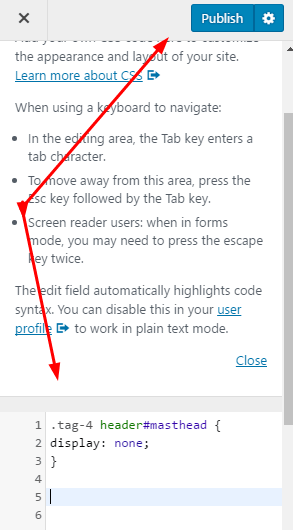
To Disable Header in GeneratePress Theme, just follow these steps
Method 1. Use Plugin
Disable Header on Specific Post/Page
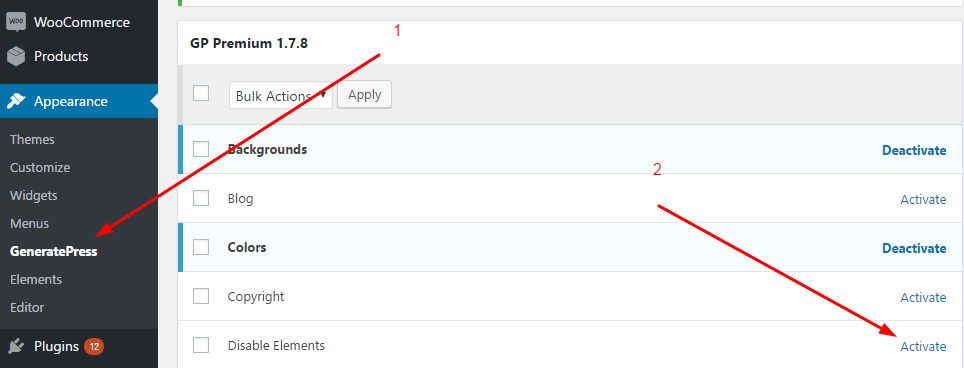
1. Install GP Premium & Activate Disable Elements
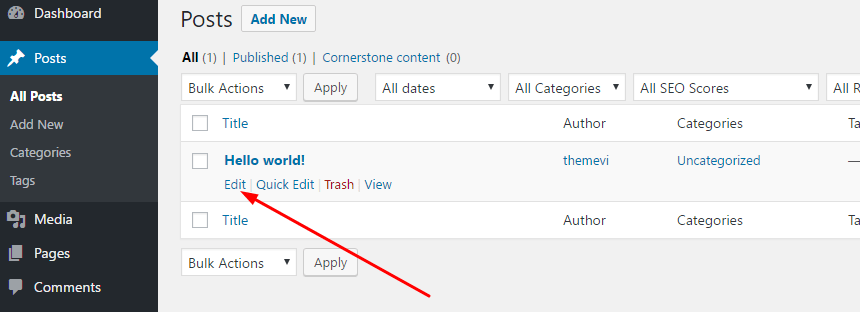
2. Edit Post (or Page) you want to disable Header
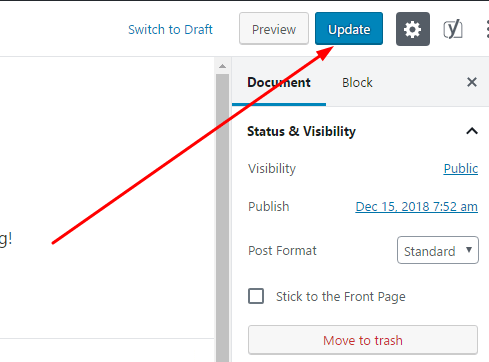
3. Scroll down and click on Disable Elements > Check on Header > Publish (or Update)
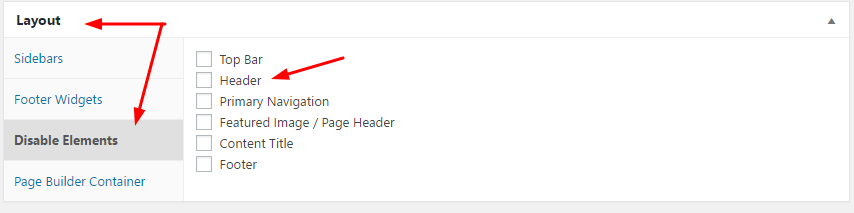
I use WordPress 5.0 so the Post is slightly different from the previous version of WordPress.
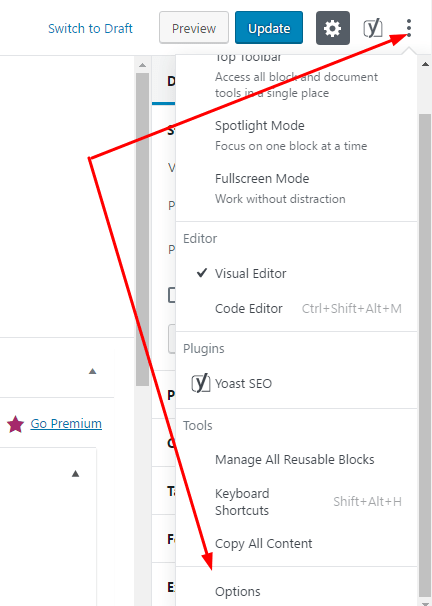
If you don’t see Layout Section. Just click on “three dots” > Options
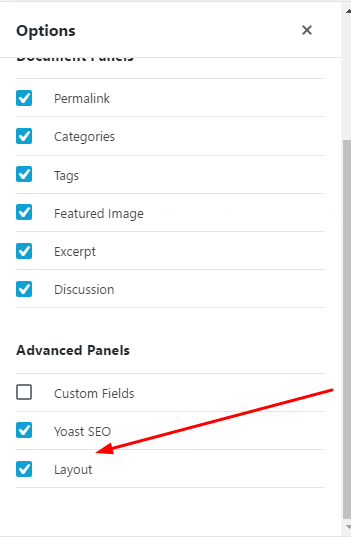
Then check on Layout
WordPress will automatically reload the page and save the settings!
Disable Header in Entire Site
1. Install GP Premium & Activate Elements
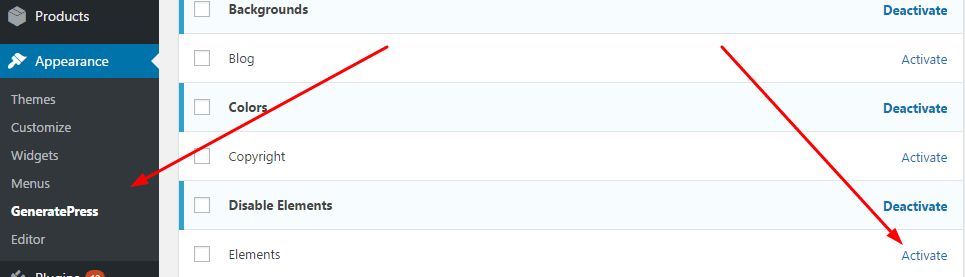
2. Add New Hook
Appearance > Elements > Add New
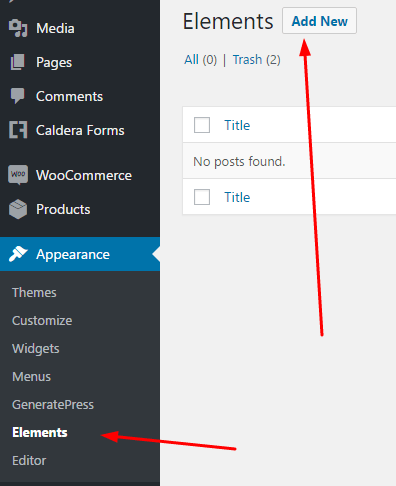
Choose Hook

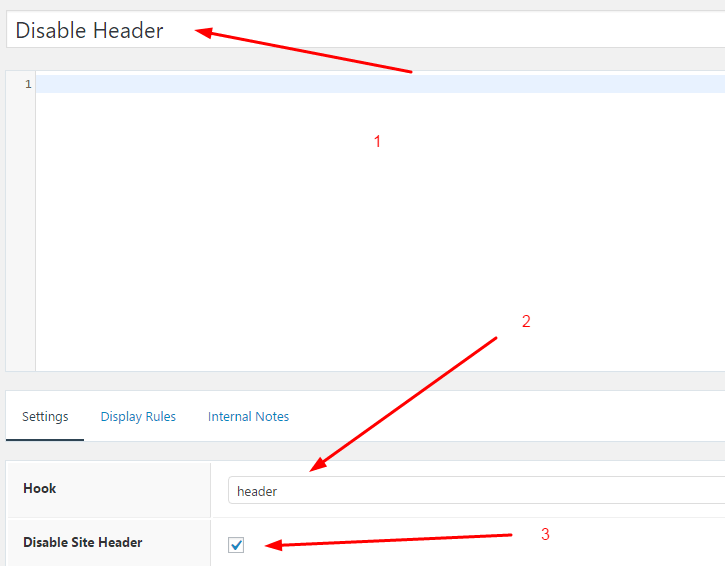
Fill your info
- Title: Disable Header
- Hook: header
- Disable Header: Yes
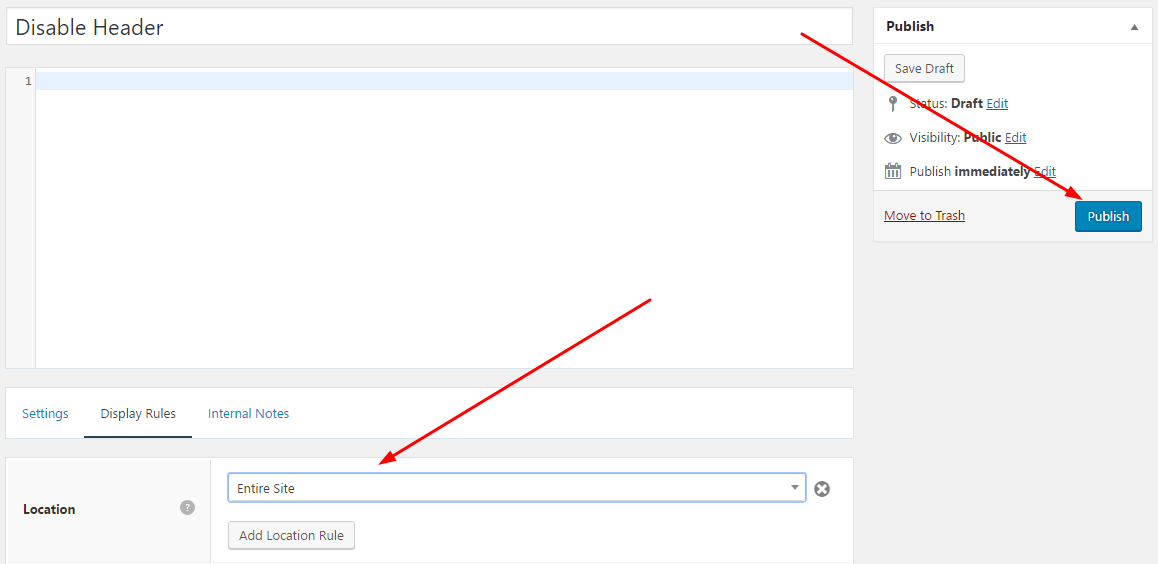
and Display Rules is Entire Site > Publish
Disable Header in Category, Blog, Home, Archive, Product….
Do similar above. At Display Rules, you select the corresponding page to hide the Header
Method 2. Use CSS
Disable Header in Entire Site
Step 1. Appearance > Customize
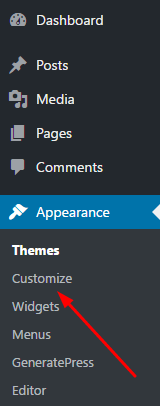
Step 2. Click on Additional CSS
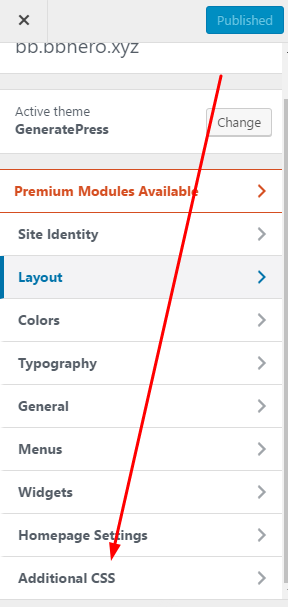
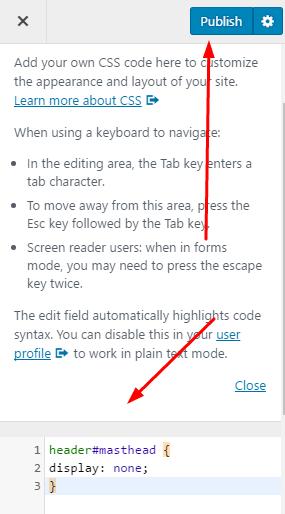
Step 3. Paste this code in to Additional CSS > Publish
header#masthead {

display: none;

}
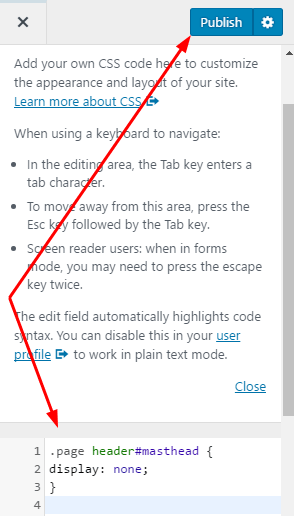
Disable Header on WordPress Page
Just paste this code into Additional CSS
.page header#masthead {

display: none;

}
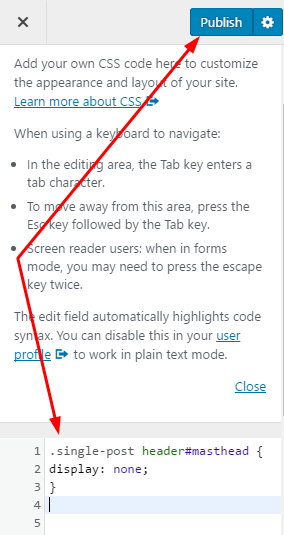
Disable Header on WordPress Post
Just insert this code into Additional CSS
.single-post header#masthead {

display: none;

}
Disable Header on Specific Page
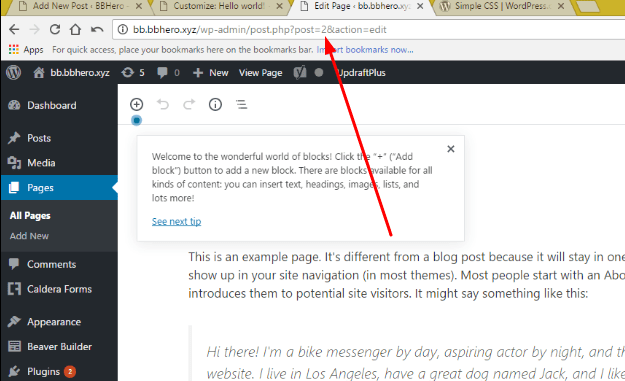
Step 1. Edit Page You want to Disable Header
You will see number “2”. This is Page ID.
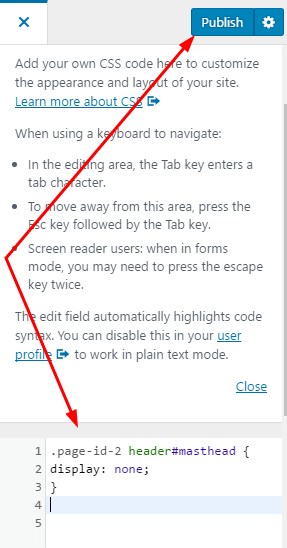
Step 2. Insert this code into Additional CSS
.page-id-x header#masthead {

display: none;

}
x is Page ID.
Here is 2, eg:
.page-id-2 header#masthead {

display: none;

}
Disable Header on Specific Post
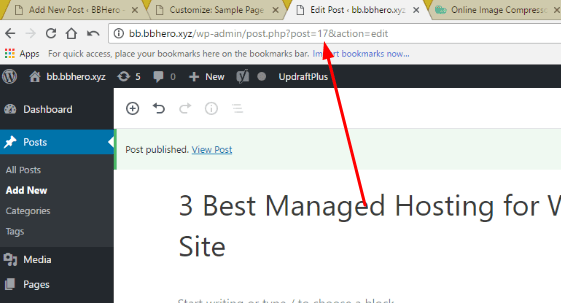
Step 1. Edit Post You want to Disable Header
You will see number “17”. This is Post ID.
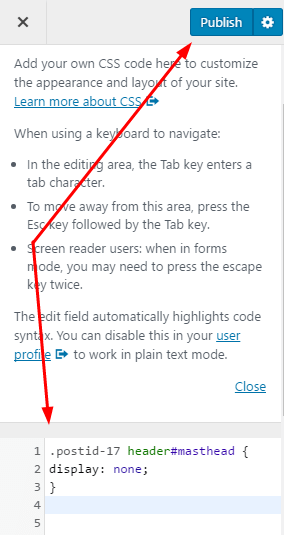
Step 2. Insert this code into Additional CSS
.postid-x header#masthead {

display: none;

}
x is Post ID.
Eg:
.postid-17 header#masthead {

display: none;

}
Updating….
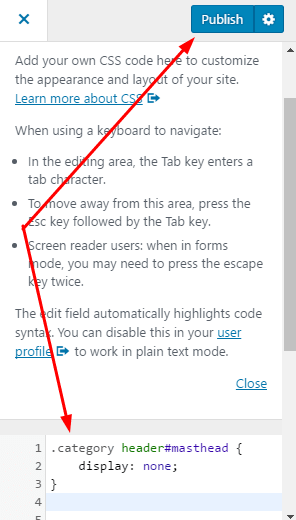
Disable Header on Category Page
Just insert this code into Additional CSS
.category header#masthead {

display: none;

}
Disable Header on Specific Category Page
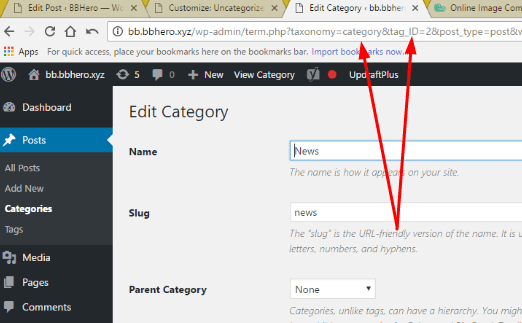
Step 1. Edit Category You want to Disable Header
Here is Category ID and Category Taxonomy
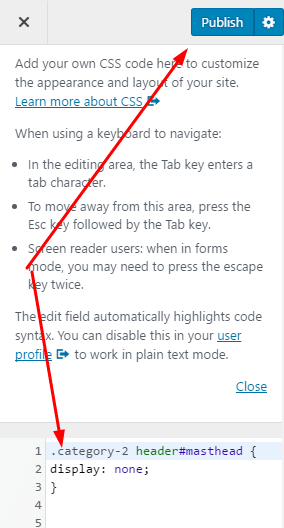
Step 2. Insert this code into Additional CSS
.category-x header#masthead {

display: none;

}
X is Category ID
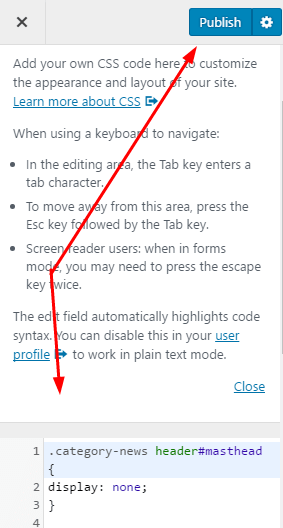
or
.category-taxonomy header#masthead {

display: none;

}
Disable Header on Post Tag
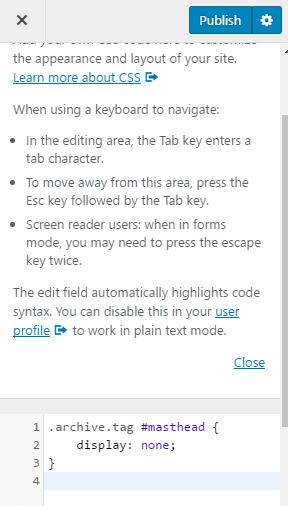
Just insert this code in to Additional CSS
.archive.tag #masthead {

display: none;

}
Disable Header on Specific Post Tag
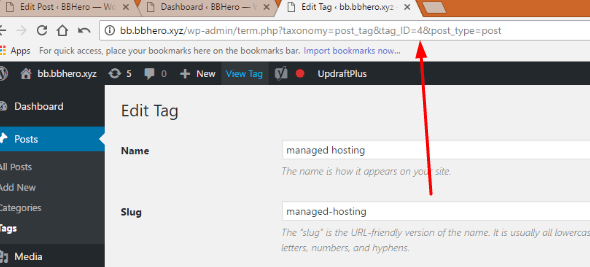
Step 1. Edit Tag You Want to Disable Header
Here is Tag ID
Step 2. Insert this code into Additional CSS
.tag-x header#masthead {

display: none;

}
X is Tag ID
Eg:
.tag-4 header#masthead {

display: none;

}