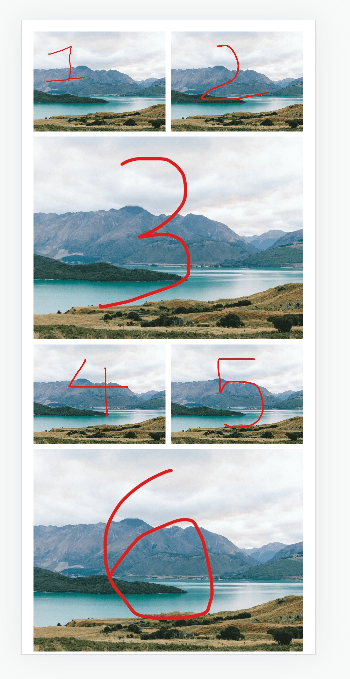
How to
#1. First you need to set Gallery Section: Grid to 2 columns
#2. Next, use this code to Custom CSS box
figure.gallery-grid-item:nth-child(3n+3) {
    grid-column: ~"1 / 3" !important;
}
.gallery-grid-wrapper {
    grid-template-columns: repeat(2,minmax(0,1fr)) !important;
}
Extra
Apply code for specific page
With Business Plan/Higher, use this code to Page Header
<style>
figure.gallery-grid-item:nth-child(3n+3) {
    grid-column: 1 / 3 !important;
}
.gallery-grid-wrapper {
    grid-template-columns: repeat(2,minmax(0,1fr)) !important;
}
</style>
Need a help?
Just send me an email with your site url. I will answer within 24 hours